

2·
8 hours agoHmm, never read that. I will test this myself with bunch of different Shaders, if any of them has a similar effect. It might be because there are many Shaders that simulate the CRT effects and can be customized.
Hmm, never read that. I will test this myself with bunch of different Shaders, if any of them has a similar effect. It might be because there are many Shaders that simulate the CRT effects and can be customized.
At least here in Europe we had SCART for CRTs. SCART is multipurpose connection, that supports variety of cables, including RGB. There was no adapter needed.
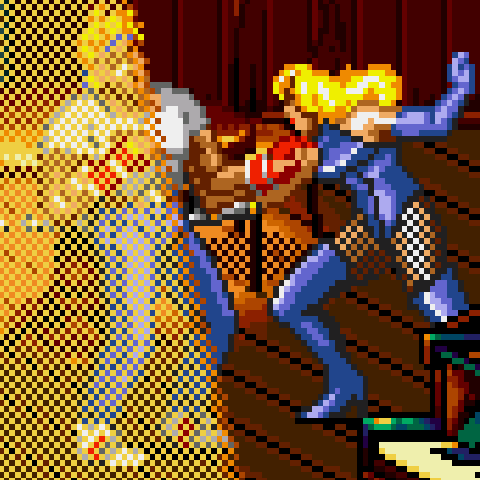
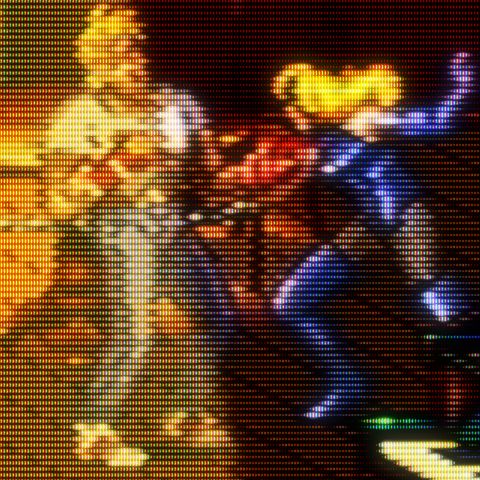
And that’s not a coincidence. Not all, but the best pixel artists took the limitations and quirks of the tech from that era into account when designing. Not only the CRT technology with scanlines and other properties, also the cable connection you got plays a huge role. Not only on SNES, but also very apparent on the Mega Drive / Genesis. Nowadays I play old systems on emulators only and don’t want to miss a good Shader which simulates old CRT effects. They get pretty close to the original thing (depending on the shader and depending on to what monitor you compare).

I never had this issue since I use GIMP decades ago. But I know in older GIMP versions (and I mean up to relatively recent versions) loading can take very long if you have ton of fonts. I don’t know how long it has been since you tried it out. There was attempts to asynchronously load fonts and other optimizations to make it start up fast. At least for me GIMP starts… let me test it again… in less than a second. Having a fast drive plays definitely a role here too.
And it depends what method you used to install. If it was Snap on Ubuntu in example, well that is on Snap most probably.
I use GIMP since 2.8 version, which is ages ago. Used it to edit my photography, to create price tags for my local shop, create web banners, memes… lot of memes, editing pixel graphics, and more.
To be honest it was not a good experience editing photography, especially as it didn’t have some standard features like layer effects. And the missing standard features like shape tools and such is also a big deal for me. Also for printing the price tags the color space was a problem too, as it didn’t support CMYK. I also wish there was a simple “record and playback macros” functionality, which I saw in Photoshop years ago.
All in all these points and many other are addressed or are being addressed right now. GIMP is still not as good as Photoshop and there are pain points. But it is improving and already has improved ton of a lot.
Windows-only,
There are new attempts of patching WINE to make modern Photoshop run on Linux. It’s not fully there, but looks promising: https://www.phoronix.com/news/Wine-Staging-11.1

Or if you want scream like a toddler, then use an appropriate platform like X (apparently we don’t call it Twitter anymore).
Which games do not start as an example? And is it just Steam update or is anything else in play here? If others don’t have the problem, then its hardly Steams fault. We simply have no clue about your system…

I have 2 webpages like this. Calling them webpages is a bit of stretch to be honest. One is a joke and the other is extremely single idea only. I was just experimenting with some stuff, that’s all. But they are up and they don’t need CSS. :-)
Edit: BTW forgot to mention, you can output text only without HTML. In that case (like in the Random of the Week) you can use it in the terminal like output of a program.
curl https://thingsiplay.eu.pythonanywhere.com/game-random-of-the-week/mame/text
Depends to what you compare. Many CSS (worse if it uses JavaScript) is ugly and I prefer the native look without CSS. But only if the content works well, which they often don’t… And that’s ugly design.

I don’t know how to do a screenshot of the entire window that scrolls outside the view… i know skill issues. :D Well in Flatseal some relevant settings are X11 windowing system = ON, Wayland windowing system = OFF, Fallback to X11 windowing system = OFF. GPU acceleration = ON:
xlsclients returns “freetube”Unfortunately if I enable Wayland (just reverse ON / OFF X11 and Wayland setting in Flatseal), the Media activity is unused. Following settings and results are…
X11 windowing system = OFF, Wayland windowing system = ON, Fallback to X11 windowing system = OFF. GPU acceleration = ON:
xlsclients returns “” (empty)For whatever reason the arguments got additional quotation marks 'run --branch=stable' which messed up the command… deleting the quotation marks runs fine now. Weird… probably a bug from KDE when I tried to add the other options. Well thanks, now it runs with the original shortcut again. Thanks for the screenshot, helped me seeing the issue instantly.
I don’t know why, but the shortcut in the “Start” menu of KDE does not longer start FreeTube… Its Command-line arguments is 'run --branch=stable' --arch=x86_64 --command=/app/bin/run.sh --file-forwarding io.freetubeapp.FreeTube @@u %u @@ . I have uninstalled FreeTube, deleted the shortcut so it is created from scratch and still does not start. It only starts from either commandline with regular flatpak command, or when I create a new shortcut with the arguments run io.freetubeapp.FreeTube --enable features=AcceleratedVideoDecodeLinuxZeroCopyGL,AcceleratedVideoDecodeLinuxGL,VaapiIgnoreDriverChecks,VaapiOnNvidiaGPUs
I think I found it. Didn’t bother to look this up until your post and can confirm by default the “Media” is not utilized. Looking into a bug report about exactly that from Feb, 2025 (a year ago from now) https://github.com/FreeTubeApp/FreeTube/issues/6786 the developer says a set of flags is needed to pass in and a user suggests following: https://github.com/FreeTubeApp/FreeTube/issues/6786#issuecomment-2832299878
flatpak run io.freetubeapp.FreeTube --enable-features=AcceleratedVideoDecodeLinuxZeroCopyGL,AcceleratedVideoDecodeLinuxGL,VaapiIgnoreDriverChecks,VaapiOnNvidiaGPUs
I can confirm this will use some “Media” activity. But comparing (unscientifically) the GPU and GFX in fdinfo, the utilization doesn’t seem too different. So overall I am not sure if that is actually hardware acceleration. Also make sure FreeTube has permission for “GPU acceleration” under “Device” set with Flatseal.

Just checked it, didn’t play since Sep, 2024… I will install it this weekend and check out what game mode that may be.
Fun fact: Game requires 33.33 GB space… Half-Life 3 confirmed?
It’s essentially a MOBA with first person hero shooter elements. The MOBA part didn’t speak to me, but I really really want to like this game.

KDE is more than just a ui, its the set of preinstalled applications that plays a huge role. Kubuntu and Ubuntu feels like two different operating systems.
pre-order isn’t in development phase usually. Isn’t the Early Access the exact point of funding developers in development? Usually a game that is in pre-order is basically done.
If we can’t play and test the game (like in Early Access), then I am still against pre-orders. Because just because its an indie developer does not mean players should fund a game they don’t know will be good or bad. Just my opinion.

fingers crossed
(sorry these are my engagement replies when I have nothing more to say, got the habbit from YouTube)