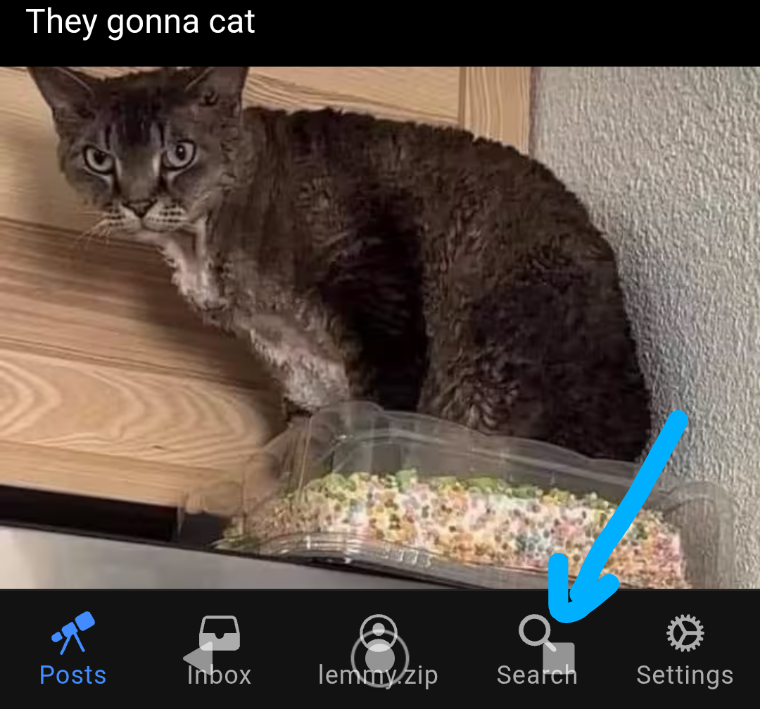
altphoto@lemmy.today to Mildly Infuriating@lemmy.worldEnglish · 2 months agoCan't click my app controls!lemmy.imagisphe.reimagemessage-square64linkfedilinkarrow-up1244arrow-down19file-text
arrow-up1235arrow-down1imageCan't click my app controls!lemmy.imagisphe.realtphoto@lemmy.today to Mildly Infuriating@lemmy.worldEnglish · 2 months agomessage-square64linkfedilinkfile-text
minus-squarenevetsg@aussie.zonelinkfedilinkEnglisharrow-up10·2 months agoVoyager does this to me occasionally. I just endtask it and re open.
minus-squareserpineslair@lemmy.worldlinkfedilinkEnglisharrow-up6·2 months agoTry rotating ur screen landscape, then back to portrait, seems to temporarily fix it for me.
minus-squarenevetsg@aussie.zonelinkfedilinkEnglisharrow-up4·2 months agoThanks for the tip. Will try next time.
minus-squarePyro@programming.devlinkfedilinkEnglisharrow-up2·1 month agoI second this, usually fixes it for me too.
minus-squarealtphoto@lemmy.todayOPlinkfedilinkEnglisharrow-up2arrow-down2·2 months agoI tried this several times and even restarted the phone… Is restarted even politically correct anymore? It should be Sturptid or Durmt or Merntally Charlentged…I merntally charlentged my phone! And it still overlapped the buttons.


Voyager does this to me occasionally. I just endtask it and re open.
Try rotating ur screen landscape, then back to portrait, seems to temporarily fix it for me.
Thanks for the tip. Will try next time.
I second this, usually fixes it for me too.
I tried this several times and even restarted the phone… Is restarted even politically correct anymore? It should be Sturptid or Durmt or Merntally Charlentged…I merntally charlentged my phone! And it still overlapped the buttons.