You can just set the layout to US (or whatever you’re accustomed to) and go by memory. 3 keys are different between ISO and ANSI, most characters are where your fingers expect them to be
Up to you, but personally I’m a European that uses the US layout most of the time as it’s especially nice in a terminal, and have a quick switch hotkey (win-space) to switch over when I need accented characters


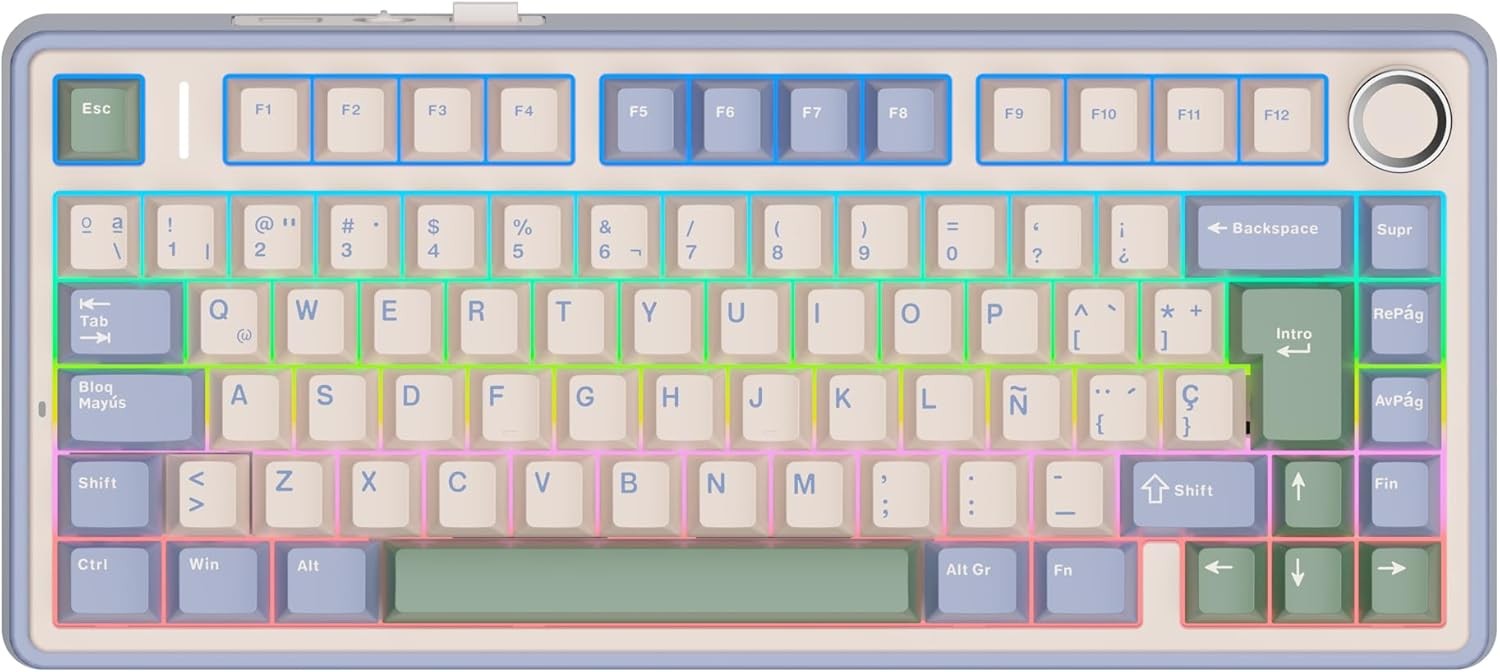
Power toys and remap it?
https://learn.microsoft.com/en-us/answers/questions/4098471/how-can-i-change-my-screenshot-hotkey-(from-window
I’m using Linux. I know I can remap it but surely there has to be a more proper way. I would think, anyway.
You can just set the layout to US (or whatever you’re accustomed to) and go by memory. 3 keys are different between ISO and ANSI, most characters are where your fingers expect them to be
I know I could do that but that would defeat the purpose of using a Spanish keyboard. I want to type Spanish characters without switching layouts.
Up to you, but personally I’m a European that uses the US layout most of the time as it’s especially nice in a terminal, and have a quick switch hotkey (win-space) to switch over when I need accented characters
I use the terminal a lot and i’m still getting used to the dash key being at the bottom. It’s an adjustment.
No need to mess about with modifying the layout, just use the AltGr key as I wrote about earlier.