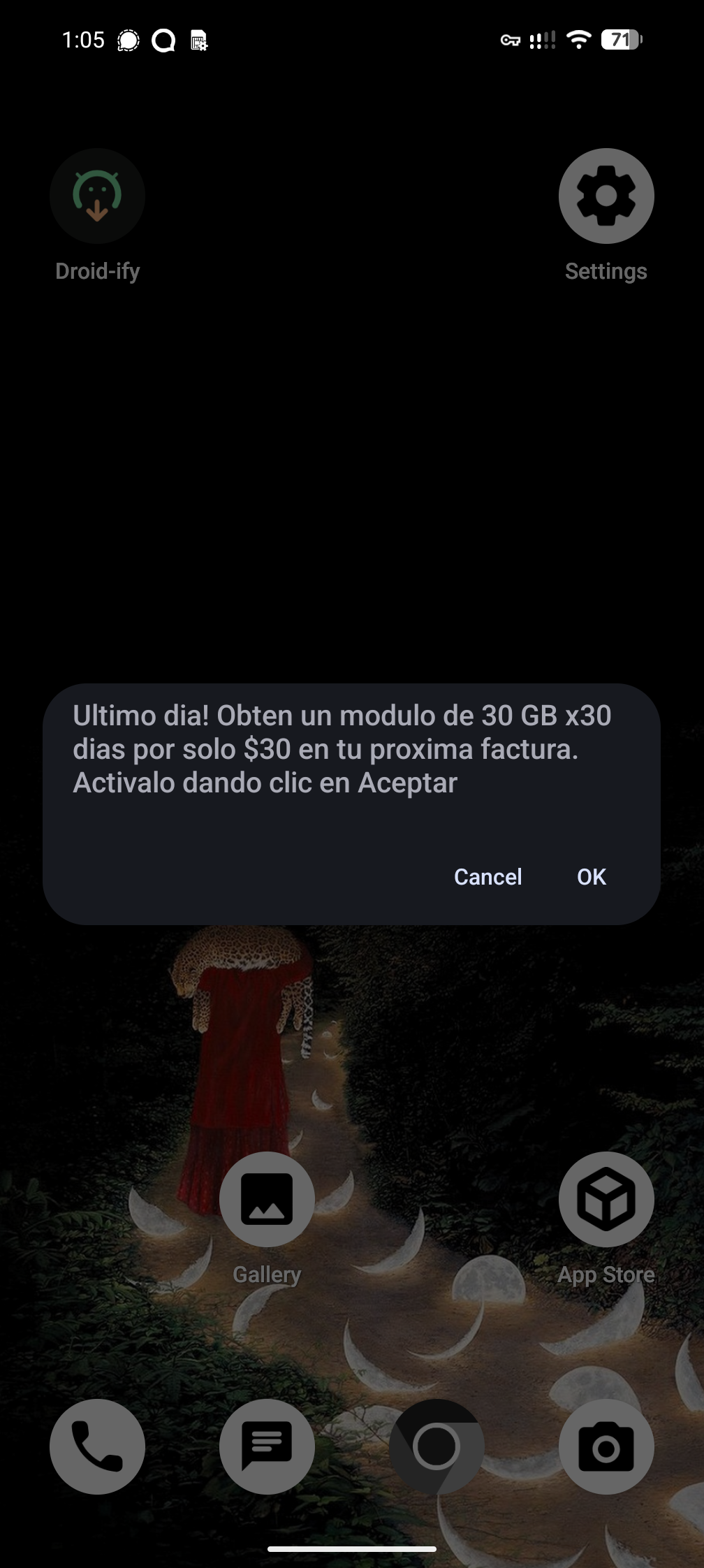
I’m pretty sure if I accidentally press “OK”, I get charged extra. In addition to the pop-up, I get the same thing as a permanent notification until I reboot – if I try to disable the notification, I get “These notifications can’t be modified”, as it is using the built-in system SIM Toolkit. I am using GrapheneOS. Name and shame: MOVISTAR.
These popups are so called “emergency notifications”. They are not supposed to be used for advertisement. Guess who abuses it…
That’s more than mildly infuriating!
This is super common in Brazil. TIM sends several SMS that cannot be blocked, per day.
Yup. Fuck em.
Use ADB to disable the SIM Toolkit app and enjoy quiet and peace.
Though note it might come back from time to time, just had to repeat the process on my parent’s phones this weekend.You dont even need a PC nowadays, can do everything from Shizuku.
Fffffffuck that
There’s got to be a way to circumvent that, maybe deny the default messaging app notification permissions and use a VOIP instead over your data line maybe?
Manda SAIR pra esse número 4112, poe seu numero aqui também que ajuda com as ligação de marketing https://www.naomeperturbe.com.br/
It is possible to disable the SIM Toolkit app if you know how to use ADB, at least on some devices. There’s a few guides around for it.
It’s worth noting that disabling it doesn’t really cause issues in most cases, since the actual chip functionality is handled by other programs.
Edit: Looks like the link I sent got redacted somehow, but either way searching for stuff like “adb disable sim toolkit” seems to give you answers.
I’ll try it out later and report back!
What’s even the reason to keep the toolkit? Never found any use for it
It’s at least partly a holdover from the GSM/2G days, and it serves almost no purpose for end users because every carrier just uses it to try and sell you things you don’t want.
They are absolutely blockable - try disabling com.android.stk and com.android.stk2. Also try looking up if there’s a way to opt out of via via the carrier because there likely is.
Mierda
I was in Colombia for 4 weeks, had a local sim. Think i got a promotional message like this 2 or 3 times a week. It wasn’t MOVISTAR but their competitor Claro. Luckily they were regular SMS and i could just silence the notifications.
I live in Ecuador and got these forced messages from Claro. I switched to graphene and haven’t seen em since
Movistar is also O2 or Vivo depending where you’re from
I wasn’t in the market to switch carrier anyway, but I’m definitely not gonna pick O2 next time now if this is what they do in other markets
Damn. I get mad at the normal text messages sent by Tmobile; but I can at least block the number and label it as spam. This would make me go with a different carrier even if it wouldn’t have the same coverage area.
And when you hit “cancel” or the home button, there’s another popup asking you why.
Find a new provider? Maybe try my suggestion about denying notification permissions (may not work depending on how they did it).
A different provider would probably work. Unsure about the other ones here. I believe root is required to disable Sim Toolkit pop-ups or notifications.
Or be the same problem. Best to check before. My experience where this is done is that all providers tend to do it. Naturally there may be exceptions.
Have you tried dev mode settings? I definitely remember having more granular permissions over notification controls after toggling something in there,though I forget what.
The grapheneos forums may be able to help you as well.
What the fuck?
Ésto es en España? Si es así te recomiendo PTV Telecom y hablar con un abogado